How it works
Three steps to your people
- Step 1
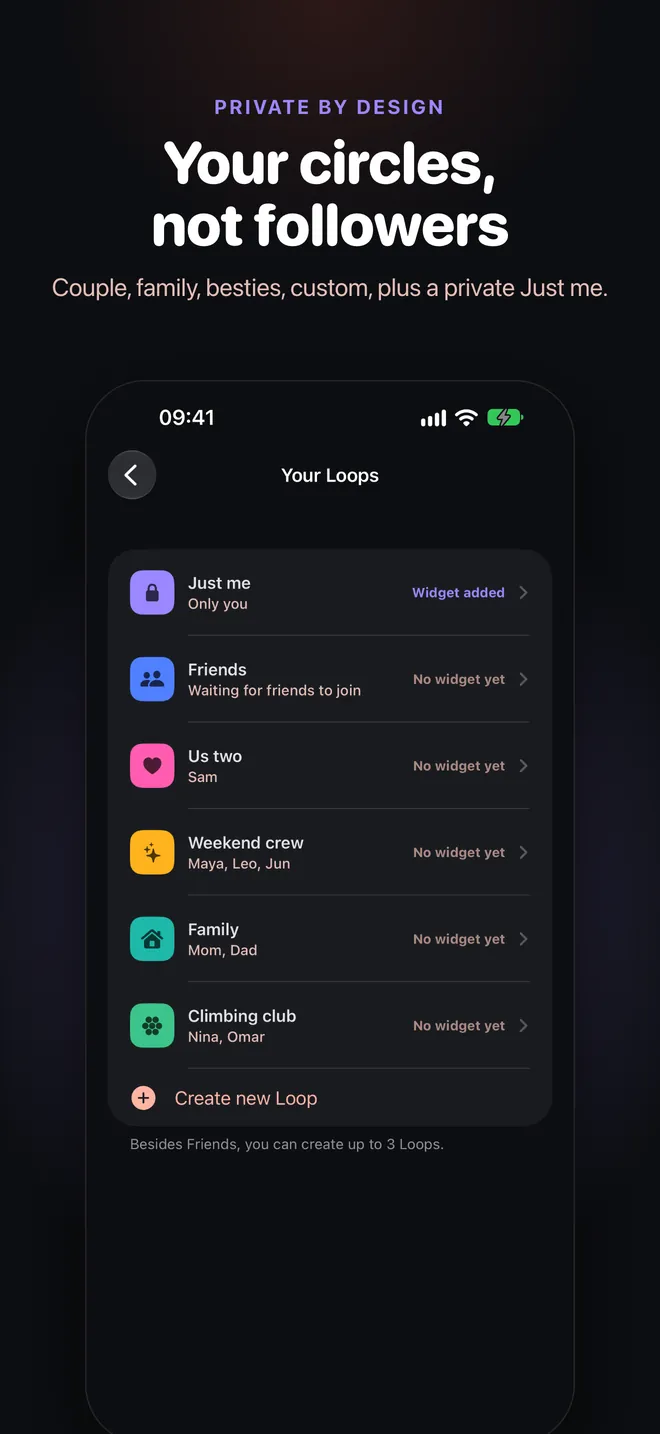
Create or join a Loop
Start a Couple, Besties, Family or custom Loop and share its invite link or 6-character code. Got an invite? Tap the link, or enter the code in the app.
- Step 2
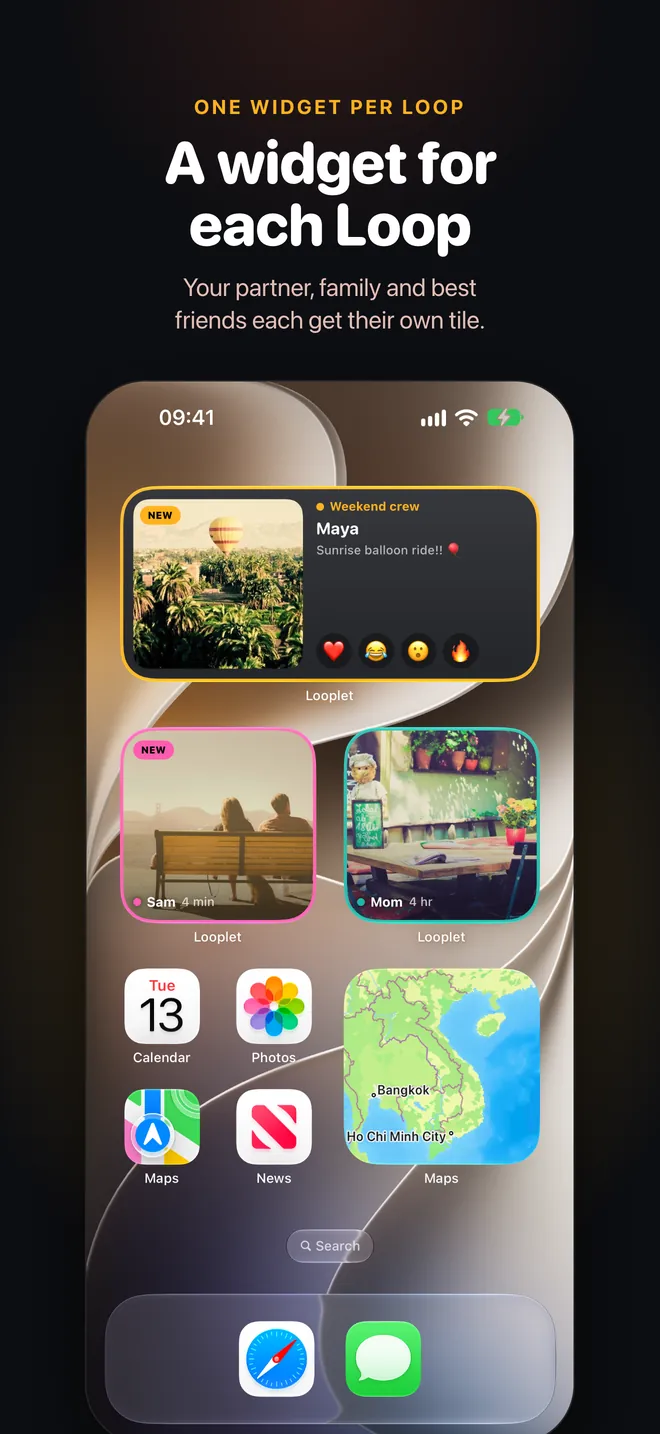
Add a widget per Loop
Touch and hold your Home Screen, add a Looplet widget, and pick the Loop it shows. Add one for each Loop you want to see at a glance.
- Step 3
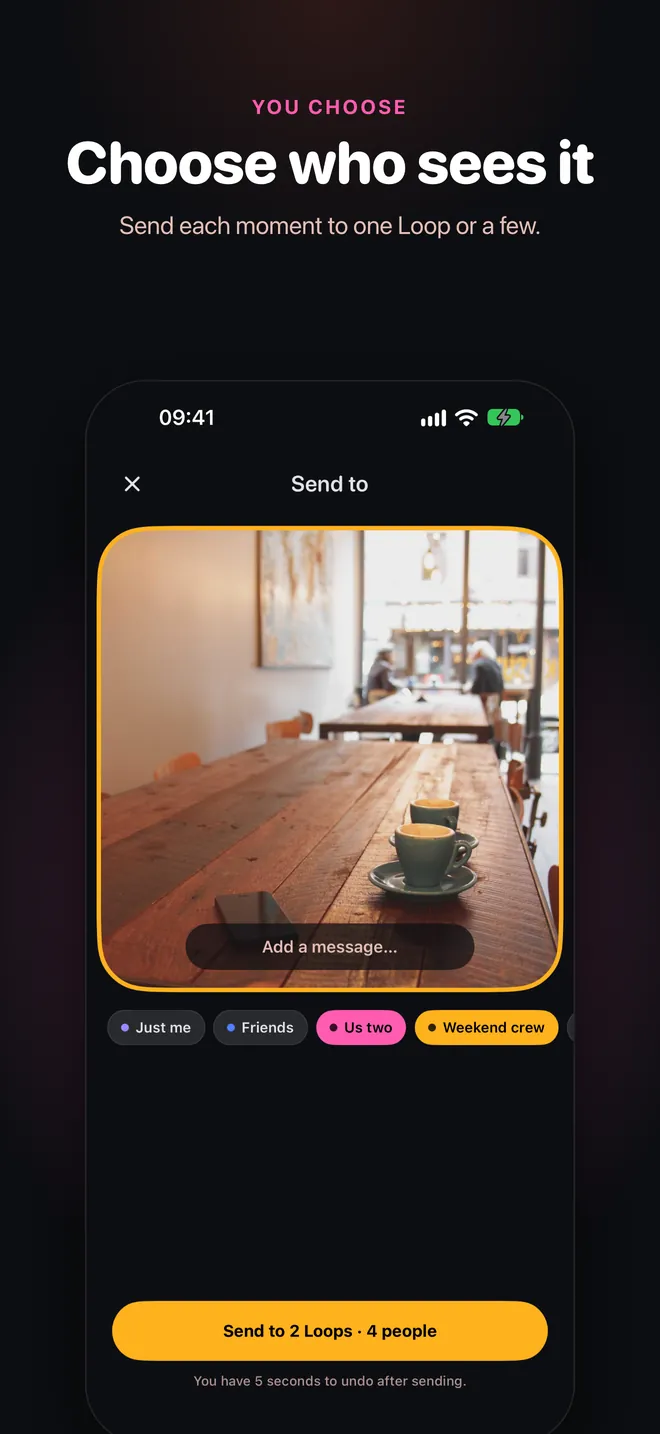
Snap and send
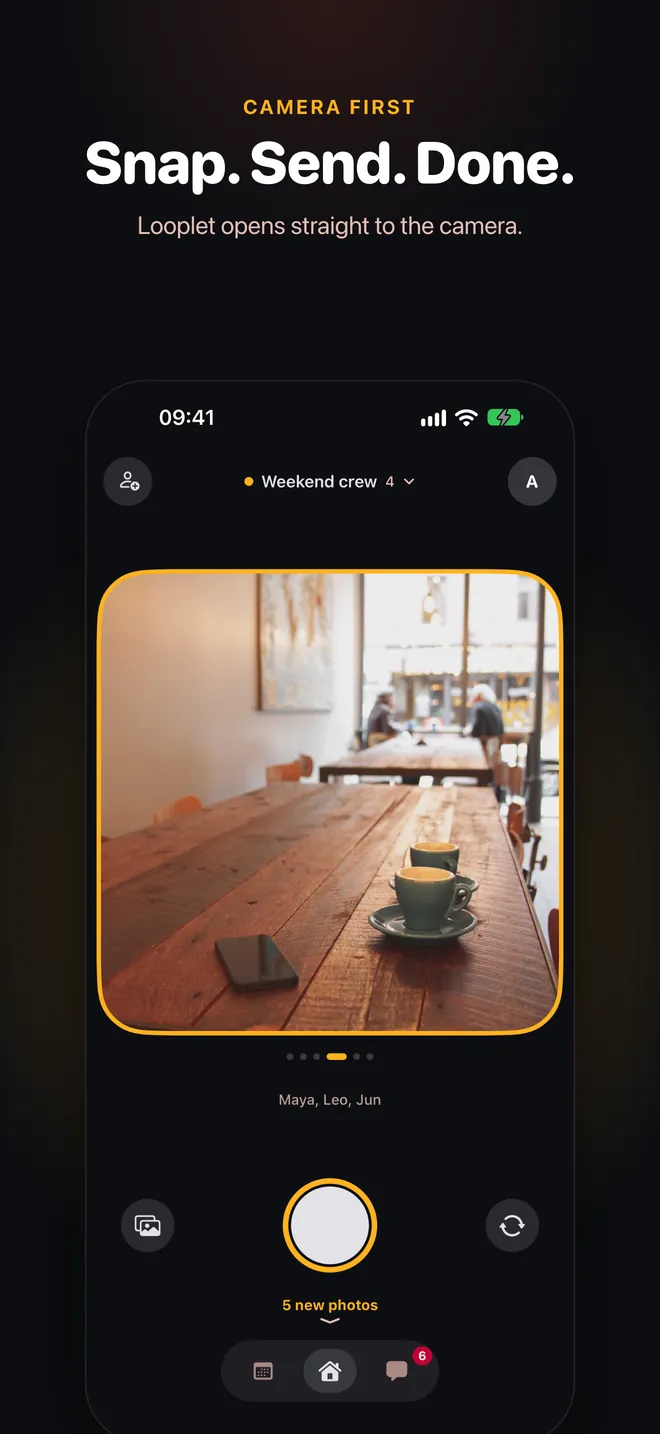
Looplet opens straight to the camera. Take a photo, choose the Loops that should see it, and it lands on their Home Screens.
A look inside
See it on iPhone

Put your people on your Home Screen
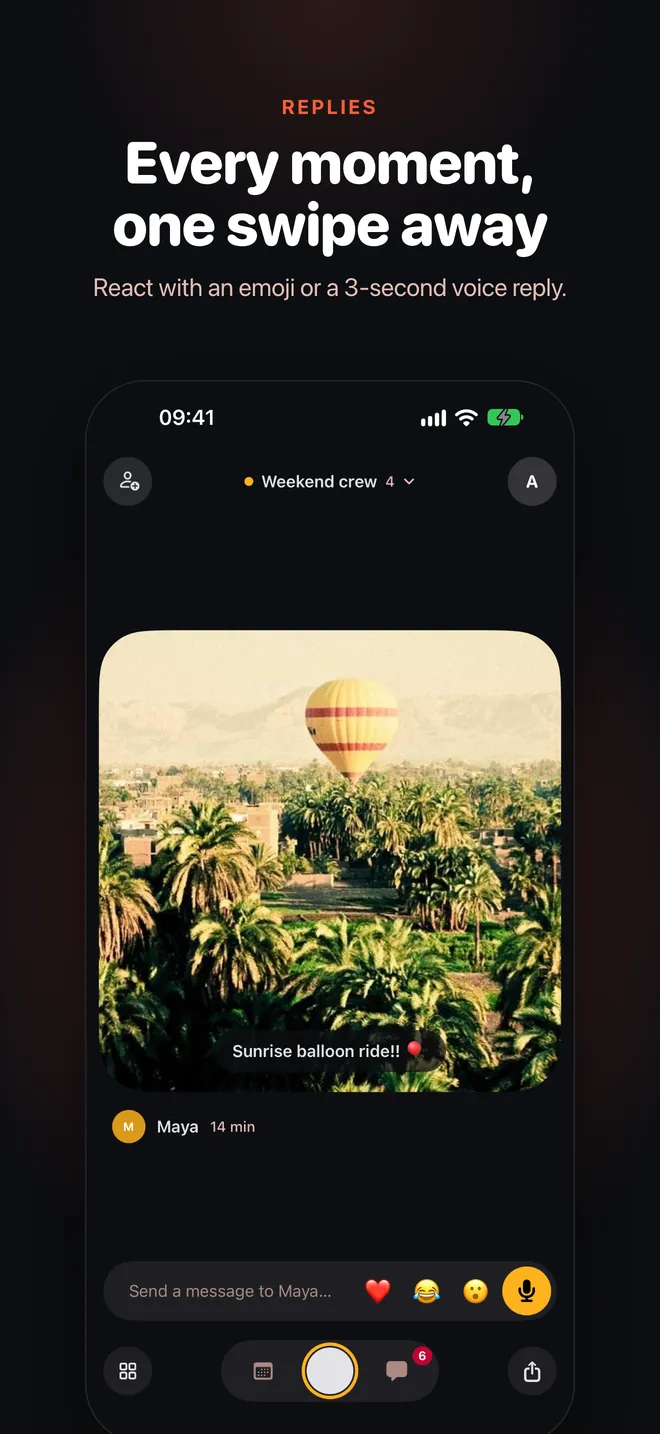
Start a Loop, send the link, and see their next moment right on your Home Screen.
Get the app
Open looplet.plus on your iPhone to install it.
- Free
- No ads, no feed
- Private by default